Starting your journey into digital education takes more than just turning on a webcam and connecting to Wi-Fi. A well-planned virtual classroom setup is what truly builds credibility, engagement, and long-term authority. As online education in India continues to grow rapidly, learners expect more than blurry video and unclear audio. They want a smooth, professional experience that feels just as structured and valuable as a physical classroom.
Whether you’re an independent creator launching your first program or an established institution expanding online, your setup becomes the foundation of your students’ learning experience. From choosing the right tools to structuring lessons effectively, every detail matters. For example, if you’re teaching a business-focused program like an advanced cold emailing course, your classroom must support live demonstrations, screen sharing, real-time feedback, and interactive discussions.
In this guide, we’ll walk through a practical and professional approach to building a scalable digital learning environment that not only looks polished but also drives real results for your students, while helping you focus on building a profitable online coaching career.
What Is a Virtual Classroom Setup, and Why Does It Matter?
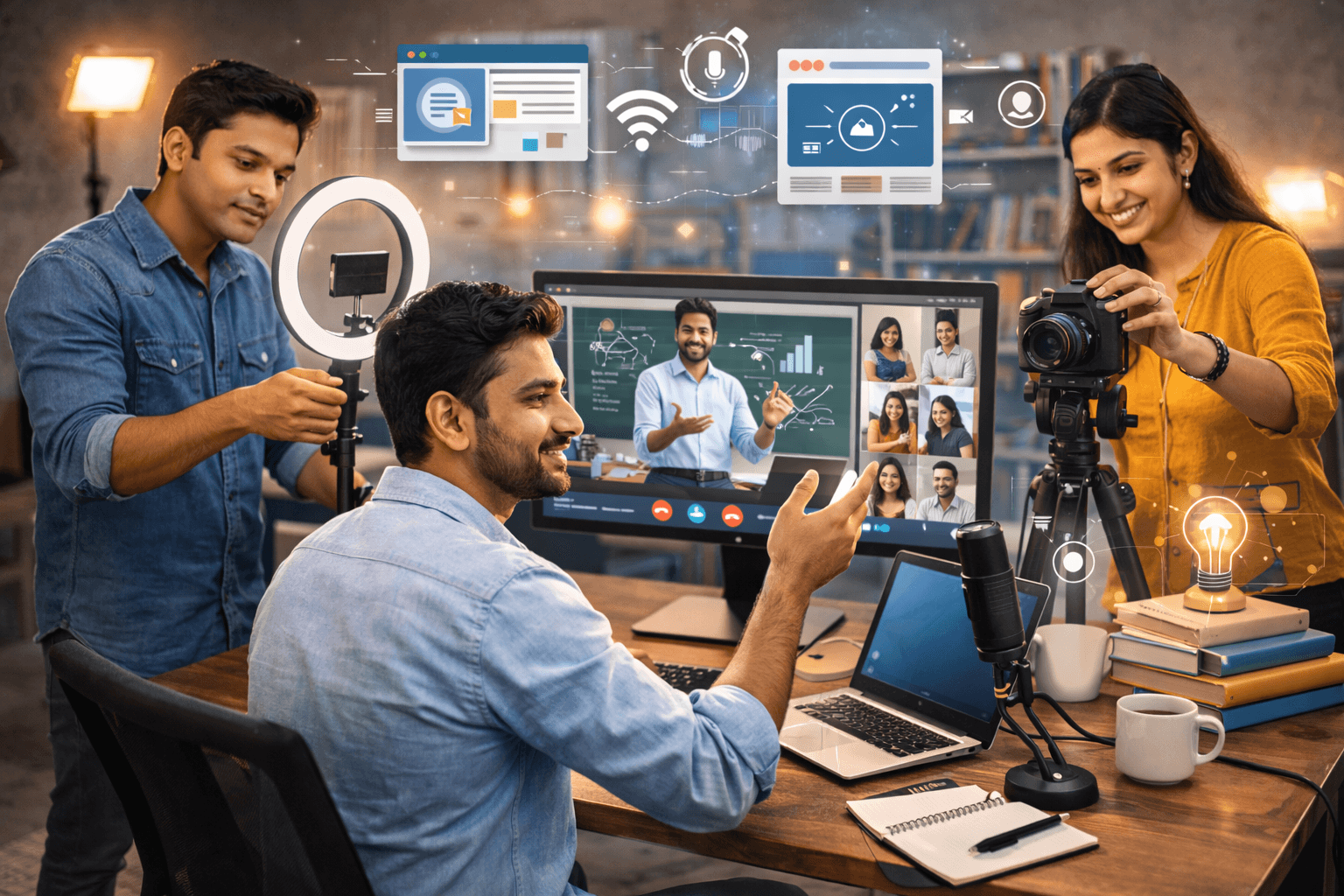
A virtual classroom setup is the integrated combination of hardware, software, and physical space used to deliver educational content in a real-time or recorded format. Unlike a standard video call, a professional setup focuses on pedagogical efficiency—ensuring the instructor is visible, the audio is crisp, and the tools are interactive.
In the competitive Indian market, first impressions are everything. A high-quality online classroom setup signals professionalism. When you improve email response rates during your marketing campaigns, you must back that promise up with a high-production delivery. If your tech fails, your authority drops, and student retention follows suit.
How to Design an Engaging and Interactive Virtual Learning Environment

Creating an environment where students don't just "watch" but "participate" requires a blend of the right online teaching equipment and a solid LMS platform.
1. Invest in Essential Hardware
To look like a pro, you need to move beyond built-in laptop mics. Consider these essentials:
High-Definition Camera: Use a 1080p webcam or a DSLR with a capture card.
Audio Quality: A cardioid USB microphone ensures your voice is clear without background noise.
The Ring Light Setup: Proper lighting eliminates shadows. Position a ring light or softbox at a 45-degree angle to your face.
2. Choose the Best Platform for Online Classes
Your webinar software should support screen sharing, breakout rooms, and online assessment tools. While Zoom and Google Meet are common, many educators find that a dedicated course hosting platform to launch your own online course provides better long-term branding and student management.
3. Leverage Interactive Teaching Tools
Don't just talk on the screen. Use interactive teaching tools like digital whiteboards (Miro or Jamboard), live polls, and chat-based Q&A. This keeps online student engagement high and prevents "Zoom fatigue," while also emphasizing building a high-converting course sales funnel to maximize enrollments and student retention.
Common Virtual Classroom Setup Mistakes to Avoid
Even seasoned educators fall into traps that can derail a lesson. Here is what to watch out for:
Ignoring the Background: A cluttered bedroom background distracts students. Use a clean wall or a professional virtual background.
Poor Lighting Placement: Never have a window directly behind you, as this turns you into a silhouette.
Relying on Wi-Fi Only: For live sessions, a wired Ethernet connection is always superior to prevent lag.
Complex Navigation: If students can't find their way around your cold email strategy explained or your course modules, they will drop out.
Pro Tip: Always run a "tech check" 15 minutes before going live to ensure your cloud storage is accessible and your mic is synced.
Structuring Your Online Course Delivery for Better Retention
A great hybrid classroom setup is only as good as the curriculum it delivers. To ensure your students actually finish your course, you must structure your content logically.
The Role of Micro-Learning
Break your lessons into 10-15 minute segments. This makes the content easier to digest and allows for more frequent online assessment points. When you understand a cold email writing guide, you realize that brevity and clarity are the keys to engagement.
Hybrid Learning and Scalability
Consider a hybrid learning model where you combine live sessions with prerecorded modules. This allows for scalability. You can use remote teaching tools to automate the delivery of basic concepts while saving your live hours for high-value coaching. If you are struggling to fill seats, check out our guide on how do you attract students when selling online courses.
FAQ
What is a virtual classroom setup?
It is the combination of hardware (mic, camera, lighting) and software (LMS, webinar tools) used to conduct educational sessions over the internet.
What equipment do I need for a professional virtual classroom?
At a minimum, you need a 1080p camera, a dedicated USB microphone, a ring light setup, and a reliable computer with an Ethernet connection.
Which platform is best for hosting live online classes?
Zoom and Microsoft Teams are great for interaction, but a dedicated LMS platform is better for managing student data and course materials.
How can I improve audio and video quality for online teaching?
Use an external microphone, ensure your face is well-lit from the front, and use a wired internet connection to maintain high bitrates.
What internet speed is required for virtual classes?
A minimum upload speed of 5-10 Mbps is recommended for smooth HD video streaming and screen sharing.
How do I engage students in a virtual classroom? Use live polls, encourage "cameras on" policies, utilize breakout rooms for group work, and incorporate online student engagement tools like gamification.
Can I record my virtual classroom sessions?
Yes, most webinar software allows for local or cloud recording, which is vital for students who need to review the material later.
What is the difference between a webinar and a virtual classroom?
A webinar is typically a one-way presentation for a large audience, while a virtual classroom is designed for two-way interaction and collaborative learning.
How do I secure my online classes from unauthorized access?
Use password-protected meetings, enable "waiting rooms," and never share your meeting links on public social media platforms.
Do I need a learning management system for online courses?
While not mandatory for a single session, an LMS is essential for organizing content, tracking progress, and scaling a professional education business.
Conclusion
Building the perfect virtual classroom setup is an investment in your brand’s future. By prioritizing high-quality online educator tools, optimizing your lighting, and choosing the right delivery platform, you create a space where students feel valued and motivated. Remember, scalability in the digital education world comes from professional systems that work every time, supported by persuasion techniques for professional communication to engage learners effectively.
Are you ready to turn your expertise into a thriving digital business? Explore Webveda’s range of resources and specialized courses designed to help you dominate the Indian online education market. Start building your authority today with a world-class virtual classroom setup, while also focusing on maintaining balance between work and personal life to sustain long-term productivity and success.




Starting your journey into digital education takes more than just turning on a webcam and connecting to Wi-Fi. A well-planned virtual classroom setup is what truly builds credibility, engagement, and long-term authority. As online education in India continues to grow rapidly, learners expect more than blurry video and unclear audio. They want a smooth, professional experience that feels just as structured and valuable as a physical classroom.
Whether you’re an independent creator launching your first program or an established institution expanding online, your setup becomes the foundation of your students’ learning experience. From choosing the right tools to structuring lessons effectively, every detail matters. For example, if you’re teaching a business-focused program like an advanced cold emailing course, your classroom must support live demonstrations, screen sharing, real-time feedback, and interactive discussions.
In this guide, we’ll walk through a practical and professional approach to building a scalable digital learning environment that not only looks polished but also drives real results for your students, while helping you focus on building a profitable online coaching career.
What Is a Virtual Classroom Setup, and Why Does It Matter?
A virtual classroom setup is the integrated combination of hardware, software, and physical space used to deliver educational content in a real-time or recorded format. Unlike a standard video call, a professional setup focuses on pedagogical efficiency—ensuring the instructor is visible, the audio is crisp, and the tools are interactive.
In the competitive Indian market, first impressions are everything. A high-quality online classroom setup signals professionalism. When you improve email response rates during your marketing campaigns, you must back that promise up with a high-production delivery. If your tech fails, your authority drops, and student retention follows suit.
How to Design an Engaging and Interactive Virtual Learning Environment
Creating an environment where students don't just "watch" but "participate" requires a blend of the right online teaching equipment and a solid LMS platform.
1. Invest in Essential Hardware
To look like a pro, you need to move beyond built-in laptop mics. Consider these essentials:
High-Definition Camera: Use a 1080p webcam or a DSLR with a capture card.
Audio Quality: A cardioid USB microphone ensures your voice is clear without background noise.
The Ring Light Setup: Proper lighting eliminates shadows. Position a ring light or softbox at a 45-degree angle to your face.
2. Choose the Best Platform for Online Classes
Your webinar software should support screen sharing, breakout rooms, and online assessment tools. While Zoom and Google Meet are common, many educators find that a dedicated course hosting platform to launch your own online course provides better long-term branding and student management.
3. Leverage Interactive Teaching Tools
Don't just talk on the screen. Use interactive teaching tools like digital whiteboards (Miro or Jamboard), live polls, and chat-based Q&A. This keeps online student engagement high and prevents "Zoom fatigue," while also emphasizing building a high-converting course sales funnel to maximize enrollments and student retention.
Common Virtual Classroom Setup Mistakes to Avoid
Even seasoned educators fall into traps that can derail a lesson. Here is what to watch out for:
Ignoring the Background: A cluttered bedroom background distracts students. Use a clean wall or a professional virtual background.
Poor Lighting Placement: Never have a window directly behind you, as this turns you into a silhouette.
Relying on Wi-Fi Only: For live sessions, a wired Ethernet connection is always superior to prevent lag.
Complex Navigation: If students can't find their way around your cold email strategy explained or your course modules, they will drop out.
Pro Tip: Always run a "tech check" 15 minutes before going live to ensure your cloud storage is accessible and your mic is synced.
Structuring Your Online Course Delivery for Better Retention
A great hybrid classroom setup is only as good as the curriculum it delivers. To ensure your students actually finish your course, you must structure your content logically.
The Role of Micro-Learning
Break your lessons into 10-15 minute segments. This makes the content easier to digest and allows for more frequent online assessment points. When you understand a cold email writing guide, you realize that brevity and clarity are the keys to engagement.
Hybrid Learning and Scalability
Consider a hybrid learning model where you combine live sessions with prerecorded modules. This allows for scalability. You can use remote teaching tools to automate the delivery of basic concepts while saving your live hours for high-value coaching. If you are struggling to fill seats, check out our guide on how do you attract students when selling online courses.
FAQ
What is a virtual classroom setup?
It is the combination of hardware (mic, camera, lighting) and software (LMS, webinar tools) used to conduct educational sessions over the internet.
What equipment do I need for a professional virtual classroom?
At a minimum, you need a 1080p camera, a dedicated USB microphone, a ring light setup, and a reliable computer with an Ethernet connection.
Which platform is best for hosting live online classes?
Zoom and Microsoft Teams are great for interaction, but a dedicated LMS platform is better for managing student data and course materials.
How can I improve audio and video quality for online teaching?
Use an external microphone, ensure your face is well-lit from the front, and use a wired internet connection to maintain high bitrates.
What internet speed is required for virtual classes?
A minimum upload speed of 5-10 Mbps is recommended for smooth HD video streaming and screen sharing.
How do I engage students in a virtual classroom? Use live polls, encourage "cameras on" policies, utilize breakout rooms for group work, and incorporate online student engagement tools like gamification.
Can I record my virtual classroom sessions?
Yes, most webinar software allows for local or cloud recording, which is vital for students who need to review the material later.
What is the difference between a webinar and a virtual classroom?
A webinar is typically a one-way presentation for a large audience, while a virtual classroom is designed for two-way interaction and collaborative learning.
How do I secure my online classes from unauthorized access?
Use password-protected meetings, enable "waiting rooms," and never share your meeting links on public social media platforms.
Do I need a learning management system for online courses?
While not mandatory for a single session, an LMS is essential for organizing content, tracking progress, and scaling a professional education business.
Conclusion
Building the perfect virtual classroom setup is an investment in your brand’s future. By prioritizing high-quality online educator tools, optimizing your lighting, and choosing the right delivery platform, you create a space where students feel valued and motivated. Remember, scalability in the digital education world comes from professional systems that work every time, supported by persuasion techniques for professional communication to engage learners effectively.
Are you ready to turn your expertise into a thriving digital business? Explore Webveda’s range of resources and specialized courses designed to help you dominate the Indian online education market. Start building your authority today with a world-class virtual classroom setup, while also focusing on maintaining balance between work and personal life to sustain long-term productivity and success.
Starting your journey into digital education takes more than just turning on a webcam and connecting to Wi-Fi. A well-planned virtual classroom setup is what truly builds credibility, engagement, and long-term authority. As online education in India continues to grow rapidly, learners expect more than blurry video and unclear audio. They want a smooth, professional experience that feels just as structured and valuable as a physical classroom.
Whether you’re an independent creator launching your first program or an established institution expanding online, your setup becomes the foundation of your students’ learning experience. From choosing the right tools to structuring lessons effectively, every detail matters. For example, if you’re teaching a business-focused program like an advanced cold emailing course, your classroom must support live demonstrations, screen sharing, real-time feedback, and interactive discussions.
In this guide, we’ll walk through a practical and professional approach to building a scalable digital learning environment that not only looks polished but also drives real results for your students, while helping you focus on building a profitable online coaching career.
What Is a Virtual Classroom Setup, and Why Does It Matter?
A virtual classroom setup is the integrated combination of hardware, software, and physical space used to deliver educational content in a real-time or recorded format. Unlike a standard video call, a professional setup focuses on pedagogical efficiency—ensuring the instructor is visible, the audio is crisp, and the tools are interactive.
In the competitive Indian market, first impressions are everything. A high-quality online classroom setup signals professionalism. When you improve email response rates during your marketing campaigns, you must back that promise up with a high-production delivery. If your tech fails, your authority drops, and student retention follows suit.
How to Design an Engaging and Interactive Virtual Learning Environment
Creating an environment where students don't just "watch" but "participate" requires a blend of the right online teaching equipment and a solid LMS platform.
1. Invest in Essential Hardware
To look like a pro, you need to move beyond built-in laptop mics. Consider these essentials:
High-Definition Camera: Use a 1080p webcam or a DSLR with a capture card.
Audio Quality: A cardioid USB microphone ensures your voice is clear without background noise.
The Ring Light Setup: Proper lighting eliminates shadows. Position a ring light or softbox at a 45-degree angle to your face.
2. Choose the Best Platform for Online Classes
Your webinar software should support screen sharing, breakout rooms, and online assessment tools. While Zoom and Google Meet are common, many educators find that a dedicated course hosting platform to launch your own online course provides better long-term branding and student management.
3. Leverage Interactive Teaching Tools
Don't just talk on the screen. Use interactive teaching tools like digital whiteboards (Miro or Jamboard), live polls, and chat-based Q&A. This keeps online student engagement high and prevents "Zoom fatigue," while also emphasizing building a high-converting course sales funnel to maximize enrollments and student retention.
Common Virtual Classroom Setup Mistakes to Avoid
Even seasoned educators fall into traps that can derail a lesson. Here is what to watch out for:
Ignoring the Background: A cluttered bedroom background distracts students. Use a clean wall or a professional virtual background.
Poor Lighting Placement: Never have a window directly behind you, as this turns you into a silhouette.
Relying on Wi-Fi Only: For live sessions, a wired Ethernet connection is always superior to prevent lag.
Complex Navigation: If students can't find their way around your cold email strategy explained or your course modules, they will drop out.
Pro Tip: Always run a "tech check" 15 minutes before going live to ensure your cloud storage is accessible and your mic is synced.
Structuring Your Online Course Delivery for Better Retention
A great hybrid classroom setup is only as good as the curriculum it delivers. To ensure your students actually finish your course, you must structure your content logically.
The Role of Micro-Learning
Break your lessons into 10-15 minute segments. This makes the content easier to digest and allows for more frequent online assessment points. When you understand a cold email writing guide, you realize that brevity and clarity are the keys to engagement.
Hybrid Learning and Scalability
Consider a hybrid learning model where you combine live sessions with prerecorded modules. This allows for scalability. You can use remote teaching tools to automate the delivery of basic concepts while saving your live hours for high-value coaching. If you are struggling to fill seats, check out our guide on how do you attract students when selling online courses.
FAQ
What is a virtual classroom setup?
It is the combination of hardware (mic, camera, lighting) and software (LMS, webinar tools) used to conduct educational sessions over the internet.
What equipment do I need for a professional virtual classroom?
At a minimum, you need a 1080p camera, a dedicated USB microphone, a ring light setup, and a reliable computer with an Ethernet connection.
Which platform is best for hosting live online classes?
Zoom and Microsoft Teams are great for interaction, but a dedicated LMS platform is better for managing student data and course materials.
How can I improve audio and video quality for online teaching?
Use an external microphone, ensure your face is well-lit from the front, and use a wired internet connection to maintain high bitrates.
What internet speed is required for virtual classes?
A minimum upload speed of 5-10 Mbps is recommended for smooth HD video streaming and screen sharing.
How do I engage students in a virtual classroom? Use live polls, encourage "cameras on" policies, utilize breakout rooms for group work, and incorporate online student engagement tools like gamification.
Can I record my virtual classroom sessions?
Yes, most webinar software allows for local or cloud recording, which is vital for students who need to review the material later.
What is the difference between a webinar and a virtual classroom?
A webinar is typically a one-way presentation for a large audience, while a virtual classroom is designed for two-way interaction and collaborative learning.
How do I secure my online classes from unauthorized access?
Use password-protected meetings, enable "waiting rooms," and never share your meeting links on public social media platforms.
Do I need a learning management system for online courses?
While not mandatory for a single session, an LMS is essential for organizing content, tracking progress, and scaling a professional education business.
Conclusion
Building the perfect virtual classroom setup is an investment in your brand’s future. By prioritizing high-quality online educator tools, optimizing your lighting, and choosing the right delivery platform, you create a space where students feel valued and motivated. Remember, scalability in the digital education world comes from professional systems that work every time, supported by persuasion techniques for professional communication to engage learners effectively.
Are you ready to turn your expertise into a thriving digital business? Explore Webveda’s range of resources and specialized courses designed to help you dominate the Indian online education market. Start building your authority today with a world-class virtual classroom setup, while also focusing on maintaining balance between work and personal life to sustain long-term productivity and success.
© Copyright 2025
© Copyright 2025
© Copyright 2025