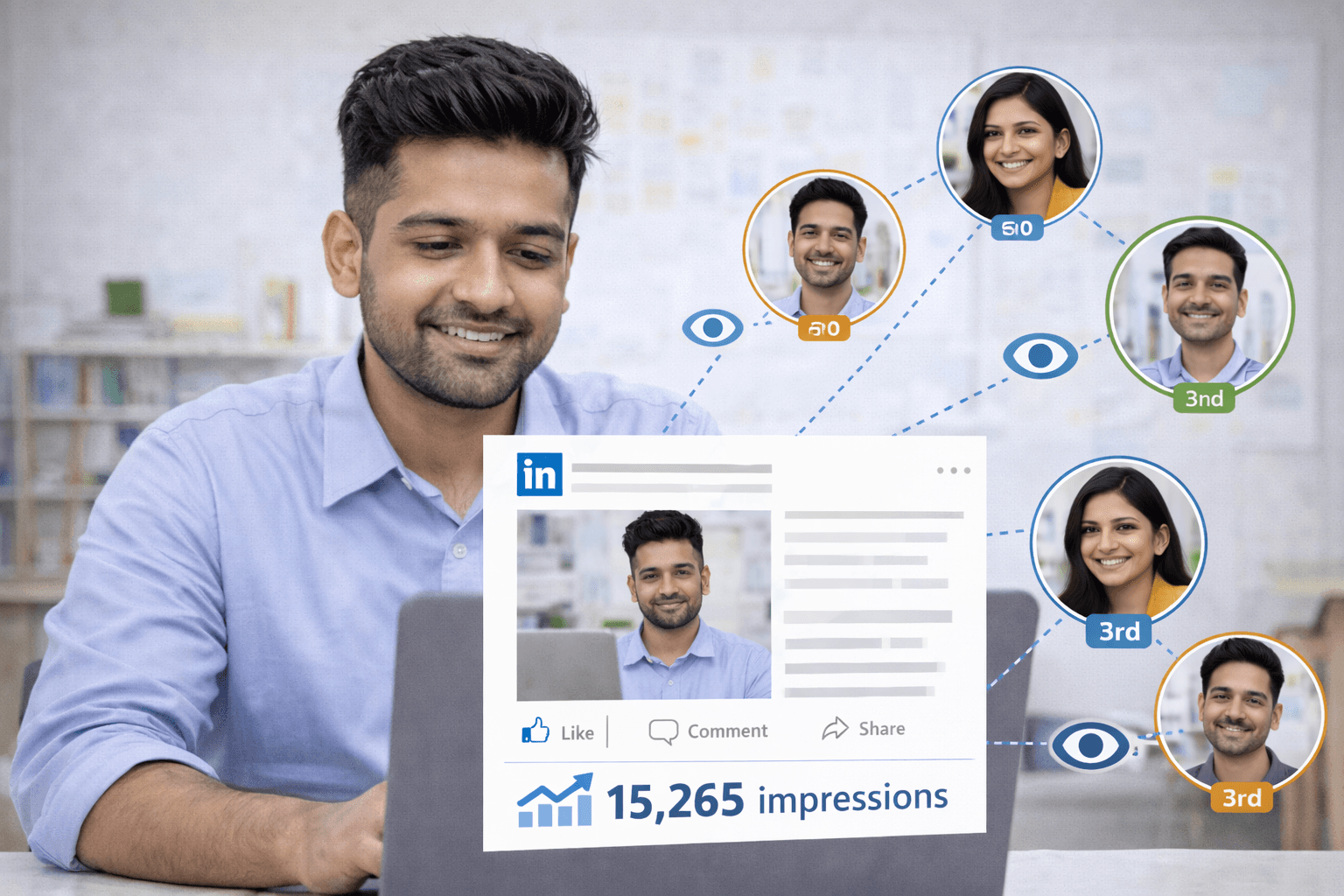
What does impressions mean on LinkedIn is one of the most common questions asked by professionals who post regularly but feel confused about their results. You may see a post with hundreds or thousands of impressions yet limited engagement, or notice fluctuating numbers without understanding what drives them.
This confusion often leads to frustration. People assume low impressions mean poor content or that high impressions guarantee success. In reality, impressions are a visibility metric, not a performance verdict. Understanding how impressions work helps you make better content decisions and build steady profile growth.
This guide explains what LinkedIn impressions really mean, how they are calculated, and how to use them to improve reach, engagement, and professional visibility, especially when paired with tools to improve content writing with AI that help refine messaging and post clarity.
How LinkedIn Calculates Impressions
An impression on LinkedIn is counted every time your post appears on someone’s screen. It does not require a click, like, or comment. If your content is shown, it counts as an impression.
LinkedIn calculates impressions based on several factors:
How many people see your post in their feed
How often your content appears during scrolls
Whether your post shows up multiple times for the same user
Initial engagement signals such as likes, comments, and shares
One person can generate multiple impressions if they see your post more than once, which often raises questions about engagement metrics such as what is CFBR on LinkedIn and how visibility is measured beyond unique viewers.
Understanding this helps you avoid misinterpreting the numbers. Impressions reflect exposure, not interest.
Impressions vs Views on LinkedIn: Key Differences
Many users confuse impressions with views, but they measure different things.
Key differences include:
Impressions count how often content is shown
Views count when someone actively clicks or opens content
Impressions focus on reach
Views focus on intent
For example, a post may receive 5,000 impressions but only 200 views. This means the content appeared frequently but fewer people chose to engage deeply.
Both metrics matter, but impressions are the first indicator of visibility. Without impressions, views and engagement cannot happen.
How to Track Impressions on Your LinkedIn Profile
LinkedIn makes impression tracking simple if you know where to look.
You can track impressions through:
Post analytics under each LinkedIn post
Profile dashboard analytics
LinkedIn content insights for creators
To access post impressions:
Click on a post you published
View the analytics section below the post
Check impressions, engagement rate, and interactions
If you want structured guidance on reading LinkedIn analytics correctly, you can Learn LinkedIn Skills through practical frameworks.
How Impressions Affect Your Content Reach

Impressions play a major role in how far your content travels on LinkedIn.
Higher impressions mean:
Greater visibility in feeds
Increased chances of engagement
Better algorithm signals
When a post receives early engagement, LinkedIn often pushes it to a wider audience. This creates a snowball effect where impressions grow organically.
Low impressions usually indicate:
Limited network interaction
Poor posting timing
Content that does not spark discussion
Impressions are not about popularity alone. They reflect how LinkedIn’s system responds to your content.
How to Improve Your LinkedIn Impressions
Improving impressions requires consistency and clarity rather than shortcuts.
Effective strategies include:
Posting when your audience is active
Writing clear, scannable content
Asking thoughtful questions
Responding to comments quickly
Avoiding external links in the first comment
Content that starts conversations tends to receive higher impressions than content that only shares information.
If your goal is long-term reach, aligning content with a solid plan helps. You can Grow Your LinkedIn by combining impressions with engagement strategies.
How Impressions Impact Profile Growth
Impressions are directly linked to profile growth, even if the connection is not always obvious.
More impressions can lead to:
Increased profile visits
Higher connection requests
Better recruiter discovery
Improved professional credibility
Recruiters often notice profiles that appear frequently in feeds or search results. This is why impressions indirectly influence job opportunities.
If you are actively job hunting, combining impressions with visibility strategies from Find Jobs on LinkedIn improves outcomes.
High impressions also improve how often your profile appears alongside active job-related content on LinkedIn. When your posts receive consistent visibility, recruiters are more likely to notice your profile while browsing job feeds and hiring discussions. Pairing strong content reach with well-structured hiring updates further increases discovery. Learning LinkedIn Job Post Tips helps you understand how job-related posts attract impressions, trigger recruiter interaction, and align your profile with active hiring signals on the platform.
Which Content Gets More Impressions on LinkedIn
Not all content performs the same way on LinkedIn.
Content types that usually receive higher impressions include:
Text posts with clear opinions
Short professional stories
Career lessons and insights
Industry trends and observations
Posts that invite discussion
Overly promotional content or posts without context often struggle to gain impressions.
Optimizing your profile also plays a role. Improving headlines, summaries, and visuals helps content perform better. You can Optimize Linkedin Profile to support higher reach.
How Recruiters Use LinkedIn Impressions
Recruiters may not track impressions directly, but impressions influence how often they see you.
High impression activity means:
Your posts appear more frequently
Your profile surfaces in searches
Your name becomes familiar over time
This passive visibility builds trust even before direct interaction.
Posting thoughtfully and consistently positions you as active and engaged, which recruiters value especially when you understand the types of LinkedIn connections and how your content reaches each level of your network.
Are Impressions Enough to Measure Success
Impressions alone do not define success, but they are a starting point.
Impressions should be analyzed along with:
Engagement rate
Comments and shares
Profile visits
Connection growth
A post with moderate impressions but strong engagement often performs better long term than a high impression post with no interaction.
Impressions show reach. Engagement shows relevance.
Conclusion
Understanding what impressions mean on LinkedIn helps you move from guessing to strategic posting. Impressions reflect visibility, not value judgment. When you track them correctly and pair them with engagement insights, LinkedIn becomes a powerful professional tool.
Instead of chasing viral numbers, focus on consistent visibility, meaningful content, and steady interaction. This approach builds sustainable profile growth and professional credibility.
If you need clarity or personalized support, you can always Contact Us to get guidance aligned with your LinkedIn goals.
FAQs
1. What does impressions mean on LinkedIn?
Impressions show how many times your content appeared on someone’s screen.
2. How are impressions calculated on LinkedIn?
They are counted each time a post appears, even if the same person sees it multiple times.
3. What is the difference between impressions and views?
Impressions measure visibility, while views measure active clicks or opens.
4. How can I see impressions on my LinkedIn posts?
You can view impressions in the analytics section below each post.
5. Why are impressions important on LinkedIn?
They indicate reach and influence future engagement and visibility.
6. How can I increase my LinkedIn impressions?
Post consistently, engage early, and create discussion-focused content.
7. Do impressions affect profile growth?
Yes, higher impressions often lead to more profile visits and connections.
8. How do recruiters use LinkedIn impressions?
Indirectly, impressions increase how often recruiters see your profile and posts.
9. Which post types get the most impressions on LinkedIn?
Text posts, professional stories, and opinion-driven content perform well.
10. Are LinkedIn impressions a good metric for content success?
They are useful, but should always be combined with engagement metrics.




What does impressions mean on LinkedIn is one of the most common questions asked by professionals who post regularly but feel confused about their results. You may see a post with hundreds or thousands of impressions yet limited engagement, or notice fluctuating numbers without understanding what drives them.
This confusion often leads to frustration. People assume low impressions mean poor content or that high impressions guarantee success. In reality, impressions are a visibility metric, not a performance verdict. Understanding how impressions work helps you make better content decisions and build steady profile growth.
This guide explains what LinkedIn impressions really mean, how they are calculated, and how to use them to improve reach, engagement, and professional visibility, especially when paired with tools to improve content writing with AI that help refine messaging and post clarity.
How LinkedIn Calculates Impressions
An impression on LinkedIn is counted every time your post appears on someone’s screen. It does not require a click, like, or comment. If your content is shown, it counts as an impression.
LinkedIn calculates impressions based on several factors:
How many people see your post in their feed
How often your content appears during scrolls
Whether your post shows up multiple times for the same user
Initial engagement signals such as likes, comments, and shares
One person can generate multiple impressions if they see your post more than once, which often raises questions about engagement metrics such as what is CFBR on LinkedIn and how visibility is measured beyond unique viewers.
Understanding this helps you avoid misinterpreting the numbers. Impressions reflect exposure, not interest.
Impressions vs Views on LinkedIn: Key Differences
Many users confuse impressions with views, but they measure different things.
Key differences include:
Impressions count how often content is shown
Views count when someone actively clicks or opens content
Impressions focus on reach
Views focus on intent
For example, a post may receive 5,000 impressions but only 200 views. This means the content appeared frequently but fewer people chose to engage deeply.
Both metrics matter, but impressions are the first indicator of visibility. Without impressions, views and engagement cannot happen.
How to Track Impressions on Your LinkedIn Profile
LinkedIn makes impression tracking simple if you know where to look.
You can track impressions through:
Post analytics under each LinkedIn post
Profile dashboard analytics
LinkedIn content insights for creators
To access post impressions:
Click on a post you published
View the analytics section below the post
Check impressions, engagement rate, and interactions
If you want structured guidance on reading LinkedIn analytics correctly, you can Learn LinkedIn Skills through practical frameworks.
How Impressions Affect Your Content Reach
Impressions play a major role in how far your content travels on LinkedIn.
Higher impressions mean:
Greater visibility in feeds
Increased chances of engagement
Better algorithm signals
When a post receives early engagement, LinkedIn often pushes it to a wider audience. This creates a snowball effect where impressions grow organically.
Low impressions usually indicate:
Limited network interaction
Poor posting timing
Content that does not spark discussion
Impressions are not about popularity alone. They reflect how LinkedIn’s system responds to your content.
How to Improve Your LinkedIn Impressions
Improving impressions requires consistency and clarity rather than shortcuts.
Effective strategies include:
Posting when your audience is active
Writing clear, scannable content
Asking thoughtful questions
Responding to comments quickly
Avoiding external links in the first comment
Content that starts conversations tends to receive higher impressions than content that only shares information.
If your goal is long-term reach, aligning content with a solid plan helps. You can Grow Your LinkedIn by combining impressions with engagement strategies.
How Impressions Impact Profile Growth
Impressions are directly linked to profile growth, even if the connection is not always obvious.
More impressions can lead to:
Increased profile visits
Higher connection requests
Better recruiter discovery
Improved professional credibility
Recruiters often notice profiles that appear frequently in feeds or search results. This is why impressions indirectly influence job opportunities.
If you are actively job hunting, combining impressions with visibility strategies from Find Jobs on LinkedIn improves outcomes.
High impressions also improve how often your profile appears alongside active job-related content on LinkedIn. When your posts receive consistent visibility, recruiters are more likely to notice your profile while browsing job feeds and hiring discussions. Pairing strong content reach with well-structured hiring updates further increases discovery. Learning LinkedIn Job Post Tips helps you understand how job-related posts attract impressions, trigger recruiter interaction, and align your profile with active hiring signals on the platform.
Which Content Gets More Impressions on LinkedIn
Not all content performs the same way on LinkedIn.
Content types that usually receive higher impressions include:
Text posts with clear opinions
Short professional stories
Career lessons and insights
Industry trends and observations
Posts that invite discussion
Overly promotional content or posts without context often struggle to gain impressions.
Optimizing your profile also plays a role. Improving headlines, summaries, and visuals helps content perform better. You can Optimize Linkedin Profile to support higher reach.
How Recruiters Use LinkedIn Impressions
Recruiters may not track impressions directly, but impressions influence how often they see you.
High impression activity means:
Your posts appear more frequently
Your profile surfaces in searches
Your name becomes familiar over time
This passive visibility builds trust even before direct interaction.
Posting thoughtfully and consistently positions you as active and engaged, which recruiters value especially when you understand the types of LinkedIn connections and how your content reaches each level of your network.
Are Impressions Enough to Measure Success
Impressions alone do not define success, but they are a starting point.
Impressions should be analyzed along with:
Engagement rate
Comments and shares
Profile visits
Connection growth
A post with moderate impressions but strong engagement often performs better long term than a high impression post with no interaction.
Impressions show reach. Engagement shows relevance.
Conclusion
Understanding what impressions mean on LinkedIn helps you move from guessing to strategic posting. Impressions reflect visibility, not value judgment. When you track them correctly and pair them with engagement insights, LinkedIn becomes a powerful professional tool.
Instead of chasing viral numbers, focus on consistent visibility, meaningful content, and steady interaction. This approach builds sustainable profile growth and professional credibility.
If you need clarity or personalized support, you can always Contact Us to get guidance aligned with your LinkedIn goals.
FAQs
1. What does impressions mean on LinkedIn?
Impressions show how many times your content appeared on someone’s screen.
2. How are impressions calculated on LinkedIn?
They are counted each time a post appears, even if the same person sees it multiple times.
3. What is the difference between impressions and views?
Impressions measure visibility, while views measure active clicks or opens.
4. How can I see impressions on my LinkedIn posts?
You can view impressions in the analytics section below each post.
5. Why are impressions important on LinkedIn?
They indicate reach and influence future engagement and visibility.
6. How can I increase my LinkedIn impressions?
Post consistently, engage early, and create discussion-focused content.
7. Do impressions affect profile growth?
Yes, higher impressions often lead to more profile visits and connections.
8. How do recruiters use LinkedIn impressions?
Indirectly, impressions increase how often recruiters see your profile and posts.
9. Which post types get the most impressions on LinkedIn?
Text posts, professional stories, and opinion-driven content perform well.
10. Are LinkedIn impressions a good metric for content success?
They are useful, but should always be combined with engagement metrics.
What does impressions mean on LinkedIn is one of the most common questions asked by professionals who post regularly but feel confused about their results. You may see a post with hundreds or thousands of impressions yet limited engagement, or notice fluctuating numbers without understanding what drives them.
This confusion often leads to frustration. People assume low impressions mean poor content or that high impressions guarantee success. In reality, impressions are a visibility metric, not a performance verdict. Understanding how impressions work helps you make better content decisions and build steady profile growth.
This guide explains what LinkedIn impressions really mean, how they are calculated, and how to use them to improve reach, engagement, and professional visibility, especially when paired with tools to improve content writing with AI that help refine messaging and post clarity.
How LinkedIn Calculates Impressions
An impression on LinkedIn is counted every time your post appears on someone’s screen. It does not require a click, like, or comment. If your content is shown, it counts as an impression.
LinkedIn calculates impressions based on several factors:
How many people see your post in their feed
How often your content appears during scrolls
Whether your post shows up multiple times for the same user
Initial engagement signals such as likes, comments, and shares
One person can generate multiple impressions if they see your post more than once, which often raises questions about engagement metrics such as what is CFBR on LinkedIn and how visibility is measured beyond unique viewers.
Understanding this helps you avoid misinterpreting the numbers. Impressions reflect exposure, not interest.
Impressions vs Views on LinkedIn: Key Differences
Many users confuse impressions with views, but they measure different things.
Key differences include:
Impressions count how often content is shown
Views count when someone actively clicks or opens content
Impressions focus on reach
Views focus on intent
For example, a post may receive 5,000 impressions but only 200 views. This means the content appeared frequently but fewer people chose to engage deeply.
Both metrics matter, but impressions are the first indicator of visibility. Without impressions, views and engagement cannot happen.
How to Track Impressions on Your LinkedIn Profile
LinkedIn makes impression tracking simple if you know where to look.
You can track impressions through:
Post analytics under each LinkedIn post
Profile dashboard analytics
LinkedIn content insights for creators
To access post impressions:
Click on a post you published
View the analytics section below the post
Check impressions, engagement rate, and interactions
If you want structured guidance on reading LinkedIn analytics correctly, you can Learn LinkedIn Skills through practical frameworks.
How Impressions Affect Your Content Reach
Impressions play a major role in how far your content travels on LinkedIn.
Higher impressions mean:
Greater visibility in feeds
Increased chances of engagement
Better algorithm signals
When a post receives early engagement, LinkedIn often pushes it to a wider audience. This creates a snowball effect where impressions grow organically.
Low impressions usually indicate:
Limited network interaction
Poor posting timing
Content that does not spark discussion
Impressions are not about popularity alone. They reflect how LinkedIn’s system responds to your content.
How to Improve Your LinkedIn Impressions
Improving impressions requires consistency and clarity rather than shortcuts.
Effective strategies include:
Posting when your audience is active
Writing clear, scannable content
Asking thoughtful questions
Responding to comments quickly
Avoiding external links in the first comment
Content that starts conversations tends to receive higher impressions than content that only shares information.
If your goal is long-term reach, aligning content with a solid plan helps. You can Grow Your LinkedIn by combining impressions with engagement strategies.
How Impressions Impact Profile Growth
Impressions are directly linked to profile growth, even if the connection is not always obvious.
More impressions can lead to:
Increased profile visits
Higher connection requests
Better recruiter discovery
Improved professional credibility
Recruiters often notice profiles that appear frequently in feeds or search results. This is why impressions indirectly influence job opportunities.
If you are actively job hunting, combining impressions with visibility strategies from Find Jobs on LinkedIn improves outcomes.
High impressions also improve how often your profile appears alongside active job-related content on LinkedIn. When your posts receive consistent visibility, recruiters are more likely to notice your profile while browsing job feeds and hiring discussions. Pairing strong content reach with well-structured hiring updates further increases discovery. Learning LinkedIn Job Post Tips helps you understand how job-related posts attract impressions, trigger recruiter interaction, and align your profile with active hiring signals on the platform.
Which Content Gets More Impressions on LinkedIn
Not all content performs the same way on LinkedIn.
Content types that usually receive higher impressions include:
Text posts with clear opinions
Short professional stories
Career lessons and insights
Industry trends and observations
Posts that invite discussion
Overly promotional content or posts without context often struggle to gain impressions.
Optimizing your profile also plays a role. Improving headlines, summaries, and visuals helps content perform better. You can Optimize Linkedin Profile to support higher reach.
How Recruiters Use LinkedIn Impressions
Recruiters may not track impressions directly, but impressions influence how often they see you.
High impression activity means:
Your posts appear more frequently
Your profile surfaces in searches
Your name becomes familiar over time
This passive visibility builds trust even before direct interaction.
Posting thoughtfully and consistently positions you as active and engaged, which recruiters value especially when you understand the types of LinkedIn connections and how your content reaches each level of your network.
Are Impressions Enough to Measure Success
Impressions alone do not define success, but they are a starting point.
Impressions should be analyzed along with:
Engagement rate
Comments and shares
Profile visits
Connection growth
A post with moderate impressions but strong engagement often performs better long term than a high impression post with no interaction.
Impressions show reach. Engagement shows relevance.
Conclusion
Understanding what impressions mean on LinkedIn helps you move from guessing to strategic posting. Impressions reflect visibility, not value judgment. When you track them correctly and pair them with engagement insights, LinkedIn becomes a powerful professional tool.
Instead of chasing viral numbers, focus on consistent visibility, meaningful content, and steady interaction. This approach builds sustainable profile growth and professional credibility.
If you need clarity or personalized support, you can always Contact Us to get guidance aligned with your LinkedIn goals.
FAQs
1. What does impressions mean on LinkedIn?
Impressions show how many times your content appeared on someone’s screen.
2. How are impressions calculated on LinkedIn?
They are counted each time a post appears, even if the same person sees it multiple times.
3. What is the difference between impressions and views?
Impressions measure visibility, while views measure active clicks or opens.
4. How can I see impressions on my LinkedIn posts?
You can view impressions in the analytics section below each post.
5. Why are impressions important on LinkedIn?
They indicate reach and influence future engagement and visibility.
6. How can I increase my LinkedIn impressions?
Post consistently, engage early, and create discussion-focused content.
7. Do impressions affect profile growth?
Yes, higher impressions often lead to more profile visits and connections.
8. How do recruiters use LinkedIn impressions?
Indirectly, impressions increase how often recruiters see your profile and posts.
9. Which post types get the most impressions on LinkedIn?
Text posts, professional stories, and opinion-driven content perform well.
10. Are LinkedIn impressions a good metric for content success?
They are useful, but should always be combined with engagement metrics.
© Copyright 2025
© Copyright 2025
© Copyright 2025